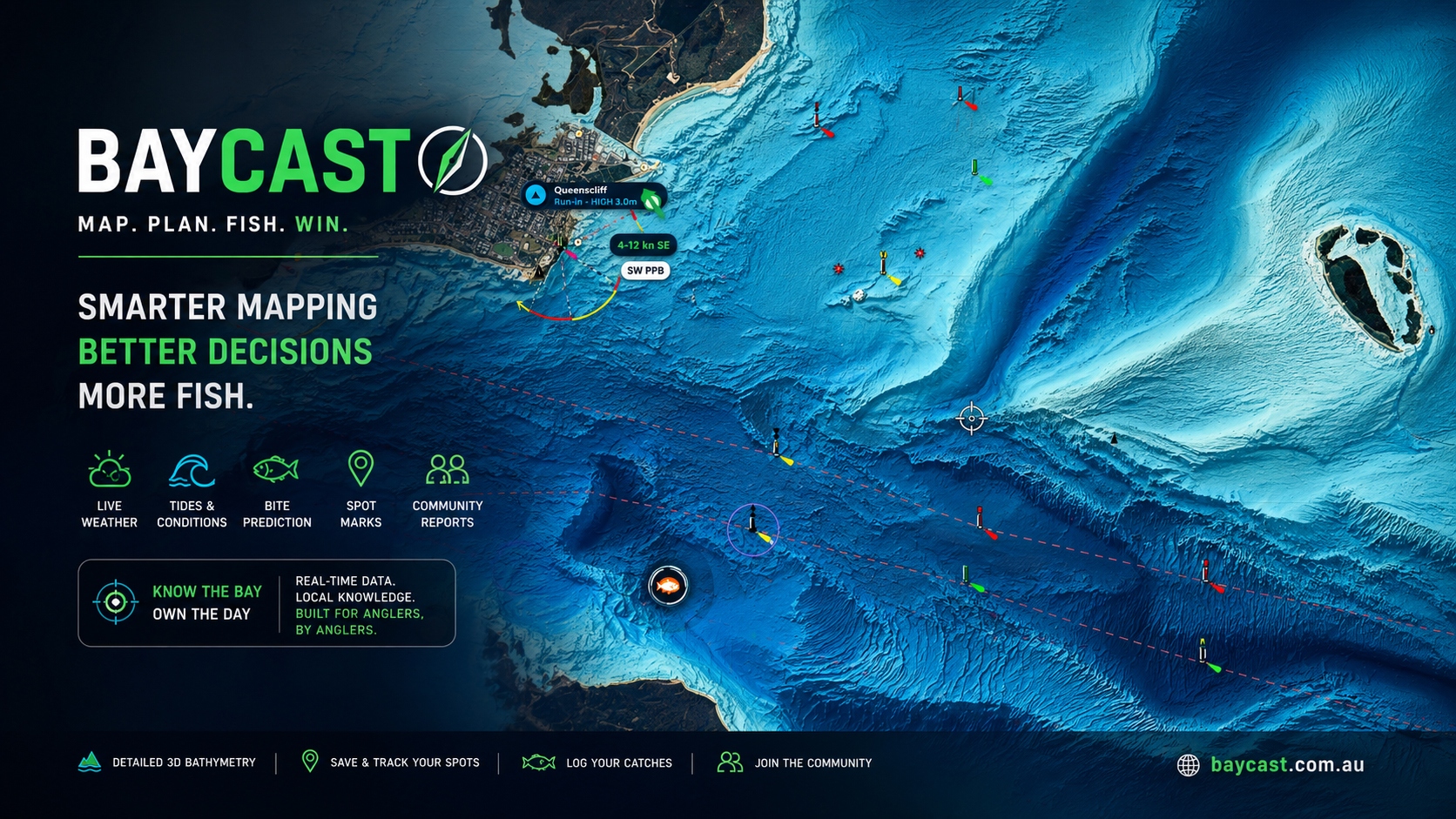
Smart fishermen research first
I've been around fishing my whole life. Tackle shop, mates' boats, my own boat. And I'll tell you the one thing that separates the blokes who consistently catch fish from the blokes who don't — they do their homework before they leave the ramp.
They check the wind. They check the tide. They check the barometer. They look at where they had a fish two weeks ago and ask themselves whether the conditions are similar today. They don't just pile in the boat at 5am and hope.
That's the bloke I built BayCast for. The one who's already on his computer the night before, mapping it out.
Plain truth
If you treat fishing like a guess, you'll catch like a guess. The mob who fill the esky every trip aren't lucky. They've already done two hours of work before they reach the ramp.
Why I had to build it myself
I'd been using a research app to study the bay for the better part of ten years. Wasn't a fishing app — it was a chart tool — but it did the job. I'd plot drift lines, study the deeper structure, mark up the spots where the bait holds.
Then it disappeared. Got pulled. Won't go into why — that's not the customer's problem.
What I will say is this: the day that tool went away, I realised how much of my fishing prep depended on it, and I went looking for a replacement. Nothing on the market did the same job for our two bays. Not properly. Not the way a Port Phillip or Western Port local needs to see the bottom.
So I built one.
Built on the PC, then squeezed onto the phone
Here's something most fishing apps get wrong from day one. They build for the phone first. The phone's good for one thing — being on the water with you. It's a companion. It's not a research tool.
The PC has roughly ten times the screen resolution of a phone. When you're studying old reef edges, channel walls, drop-offs, the line where weed meets sand — you cannot see that detail on a six-inch screen. You just can't. The pixels aren't there.
So I built BayCast on the PC first. The proper desktop version. Big monitor, full chart, all the layers, study it like you'd study a road map before a long drive. Then we squeezed it down for the iPad and the phone, so you've got the same data with you when you're out there.
That's the order. PC for research. Phone for the trip. If anyone tells you they've built a serious bathymetry tool that's mobile-first, they're flogging you a phone wallpaper.
What's free, and what it actually gets you
I wanted everyone to be able to use BayCast without paying. Even if you never spend a cent, you get a real tool, not a five-minute trial.
- The base nautical chartThe standard chart for Port Phillip Bay and Western Port. Free, forever. That's the map your dad used. Yours too.
- Wind, tide and forecastThe weather you actually need to plan a session. Not a million-dollar premium feature. The basics, free.
- The trophy cabinetEleven trophies to chase. Snapper Slam. Whiting King. Squid Specialist. Calamari Hunter. They're virtual, they're free, and they'll keep the kids off your back when the fish aren't biting.
- Virtual challengesBag-out games. Streaks. Local leaderboards for the bay you fish. Fishing's meant to be fun — the games are there to keep it that way.
- Your catch diaryLog your catches, your dates, your spots. Yours forever. Free.
If that's all you ever want, that's all you ever need. We're not going to nag you to upgrade.
What's in Pro, and why each piece exists
Pro is for the bloke who wants to do what I do — sit down on the PC the night before and study the bottom properly. Every Pro feature is here because I asked myself the same question — "would I personally use this every trip?" — and only kept the ones where the answer was yes.
- REEDY PRO HD 3DThe flagship view. A high-detail render of the seabed across Port Phillip, Western Port and Bass Strait — built from public-domain AusSeabed bathymetry. The reefs, the channel walls, the old river beds, the drop-offs. The detail you cannot see on the standard map. This is the view I built for myself first.
- Bay Relief, Low Tide and SatelliteThree more chart layers. Bay Relief shows the seabed shape in soft grey relief — easy on the eyes, brutal at exposing structure. Low Tide shows what the bay looks like at the bottom of the tide, so you know what's exposed and what's not. Satellite is the actual aerial photo for cross-referencing.
- Ocean SST chartSea-surface temperature across Bass Strait and the bays. Click anywhere on it and we tell you exactly where you're looking. Tuna, kingfish, even the snapper edges — temperature is everything. Most apps lock SST behind a $200 marine subscription. We don't.
- All overlays unlockedCommunity marks, Reedy's marks, seabed relief, currents, drift lines. Layer them on the chart however you want. Build your own picture.
- Bite forecastSun, moon, tide, barometer — combined into one number for the spot you've selected. Not magic. Just maths the old fellas already do in their head, served up so you don't have to.
- Range and fuel costYou're standing on the ramp at 5am and you want to know — is it worth the run to the southern grounds today? Punch in the spot. We tell you the kilometres, the time, the fuel cost in dollars. Decide before you burn the diesel.
- Three-point measureDrop three points on the chart. We tell you the angle, the bearing and the distance between every leg. Drift planning, troll patterns, anchor lines. Useful.
- Plan-trip and photo catch logPlot the run before you launch. Photograph the fish, log it on the spot, drop a private mark. Your data. Yours.
- Squid spots — community pinsThe Pro mob drops a squid spot, every other Pro user sees it. Old-school local knowledge, modern delivery. No fluff.
- The verified Pro report feedThis is the one I'm proudest of. Read on.
The verified report feed — and why it matters
You know what I'm sick of? Facebook fishing reports. Bloke posts a snapper, says he caught it "this morning," and it's a photo from 2019 he's recycled to drum up engagement. Two thousand mates of mates pile into the spot the next weekend chasing fish that aren't there. Whole bay gets hammered for nothing.
I'm not having that on BayCast.
The Pro report feed only accepts catches uploaded within 24 hours of the photo being taken. If your phone says the photo was taken Monday and you try to upload it Wednesday, the system rejects it. No old fish. No recycled glory shots. No fairy tales.
What you see in the BayCast Pro feed is what was actually caught yesterday or today. Real fish, real day, real spot. It's the closest thing to standing next to the bloke when he hooked it.
That's why it's Pro-only. The verification work isn't free, and the people who want clean data are the ones who'll pay for it. Fair trade.
Anti-cheat, plain English
If you can't prove the fish came out of the water in the last 24 hours, it doesn't go in the feed. End of. We'd rather have a quiet feed full of real fish than a noisy one full of liars.
What we will never do
We won't share your private marks. They're yours.
We won't sell your catch data. It's yours.
We won't let charter boats and dodgy operators flood the feed with old promo shots — that's what the 24-hour rule is for.
And we won't tell you the spot is "guaranteed" or "secret" or "the one." That's a tackle-shop sales line. Your job is to do the research and put the time in. Mine is to give you the best chart in the country to do it on.
Free vs Pro at a glance
Open BayCast on the PC tonight
Free forever. No card, no nag screens. The proper PC version is the one to start with — sit down, study the bay, then take it to the boat in the morning. Pro is $89/year with code EARLY40 if you want the serious chart and the verified feed.
